Create Stunning Presentations with the Metanor Google Slide Template
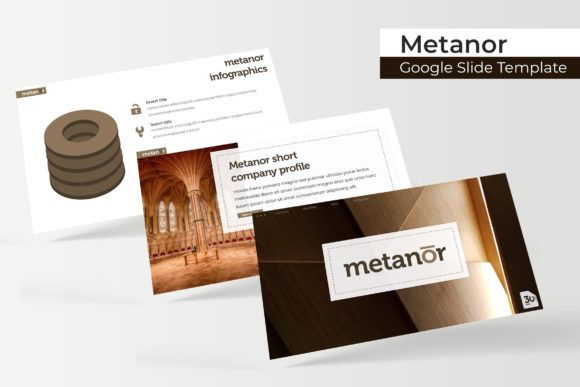
If you've ever spent hours trying to make a presentation look polished and professional, the Metanor Google Slide Template might be exactly what you need. This premium design asset offers a comprehensive set of over 150 total slides, giving you a versatile foundation for any project where visual impact matters. Whether you're preparing a client pitch, a portfolio showcase, or a detailed business report, having a well-structured template can save you significant time and elevate your final output.
What makes this template collection stand out is its thoughtful organization and design flexibility. It comes in five premade color variations, with 30 unique slides dedicated to each color scheme. This means you can quickly match the template to your brand identity or the mood of your presentation without starting from scratch. The handcrafted infographics are particularly useful for turning complex data into clear, engaging visuals that hold your audience's attention.
Practical Features for Everyday Design Needs
The Metanor template is built with real-world usability in mind. All graphics are resizable and editable, and the picture placeholders use a simple drag-and-drop system based on master slides. This pixel-perfect approach ensures that every element aligns cleanly, giving your presentation a cohesive, professional look. You also get dedicated section break slides and a gallery/portfolio slide, which are ideal for showcasing work samples or transitioning between topics smoothly.
For designers and creators, this kind of template serves as more than just a slide deck—it's a design asset that supports a wide range of visual projects. Consider using it for:
- Client presentations and business proposals
- Portfolio showcases for photographers, artists, or agencies
- Educational lectures or workshop materials
- Social media content planning and visual storytelling
- Internal reports and team updates
The included PPTX files are compatible with both standard and widescreen formats, and the readme file provides clear instructions along with links to download the free fonts used in the design. This attention to detail helps you get started quickly without hunting for missing assets.
Choosing the Right Template for Your Project
When selecting a presentation template, think about the tone and purpose of your content. The Metanor template's clean, modern typography and balanced layouts work well for corporate and creative contexts alike. Its design avoids overly flashy elements, focusing instead on clarity and visual hierarchy—qualities that make information easier to digest and remember.
Font pairing is another important consideration. The template uses typefaces that complement each other, but you can always adjust these to match your brand's existing visual identity. If you're working on a project that requires a specific mood—whether elegant, playful, or minimalist—test how the template's color schemes and slide layouts support that feeling before committing to it.
Ultimately, a well-designed template like Metanor helps maintain visual consistency across your slides, which strengthens your message and makes your work look more polished. It's a practical investment for anyone who regularly creates presentations and wants to focus on content rather than formatting.
While the preview images show examples of how the template can be styled, remember that the actual download includes only the template files themselves. This gives you a clean starting point to customize with your own photographs, illustrations, and branding elements. The result is a presentation that feels uniquely yours, backed by a professional design foundation.