Visionable Keynote Template
Imagine walking into your next big presentation and feeling completely confident because every slide looks polished, professional, and perfectly on-brand. That’s exactly the kind of assurance the Visionable Keynote Template brings to the table. Designed for creators who value both style and substance, this comprehensive presentation kit offers over 150 meticulously crafted slides spread across five premade color themes. Whether you're pitching to clients, showcasing a portfolio, or delivering a keynote, having a versatile template like this can transform how your audience perceives your message.
Why Presentation Design Matters More Than You Think
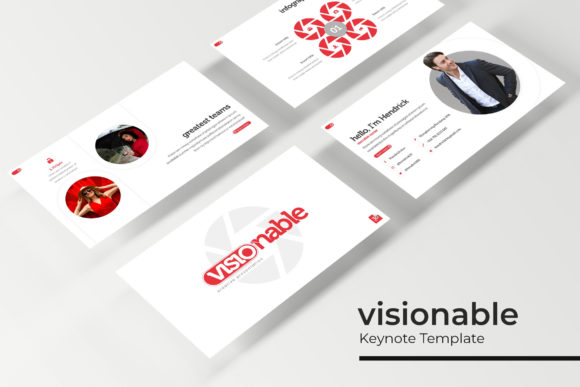
We’ve all sat through presentations that felt cluttered, inconsistent, or visually overwhelming. Poor design doesn’t just look unprofessional—it distracts from your content and weakens your message. A well-structured template solves this by giving you a cohesive visual framework. With Visionable, every slide is built on master slides, ensuring pixel-perfect alignment and consistent styling throughout. The handcrafted infographics, section break slides, and gallery layouts mean you’re not just filling in text boxes—you’re telling a story with intentional design.
Features That Make This Template Stand Out
What sets Visionable apart from generic templates is its attention to detail and flexibility. Here’s a closer look at what you’re getting:
- 150+ Total Slides across five premade color variations, giving you 30 unique slides per color theme. This variety means you can adapt the template to different projects or brand palettes without starting from scratch.
- Resizable and Editable Graphics with picture placeholders that support drag-and-drop functionality. Swapping images becomes effortless, and you can resize elements without losing quality.
- Handcrafted Infographics designed to visualize data clearly and attractively. From timelines to process flows, these elements help communicate complex information at a glance.
- Section Break Slides that create natural pauses in your presentation, improving flow and audience engagement.
- Portfolio and Gallery Slides ideal for showcasing work, products, or case studies in a clean, organized layout.
The package includes five PPTX files in widescreen format, a helpful readme file, and links to free fonts used in the design. It’s worth noting that the preview images are for illustration only, so you’ll want to use your own photographs to personalize the slides.
How to Get the Most Out of Visionable
Start by choosing a color theme that aligns with your brand or the mood of your presentation. The five premade options give you a solid starting point, but don’t hesitate to customize further using the master slide editor. Since the template is based on master slides, any changes you make to fonts, colors, or layout elements will update consistently across all slides. This saves time and ensures visual harmony.
Use the infographic slides to break down statistics, processes, or comparisons. Instead of cramming numbers into bullet points, let the visual elements do the heavy lifting. The gallery slides are perfect for product showcases, team introductions, or project highlights. With the drag-and-drop picture placeholders, you can quickly add your own images without worrying about cropping or alignment issues.
Tips for Pairing Fonts and Maintaining Readability
While the template comes with font recommendations, you might want to pair it with other typefaces for added variety. Stick to two or three fonts maximum—one for headings, one for body text, and maybe one accent font for highlights. Ensure that your chosen fonts are legible at different sizes, especially for data-heavy slides. The right typography reinforces your brand identity and keeps your presentation looking cohesive.
Remember, the goal is clarity. Avoid overcrowding slides with too much text or too many visuals. Use the pre-designed layouts as guides—they’re structured to balance content and white space effectively. If you’re presenting to a diverse audience, test your slides on different screens to ensure colors and fonts render well across devices.
Who Is This Template For?
Visionable is ideal for professionals and creatives who need to deliver high-impact presentations without spending hours on design. Think business pitches, academic lectures, creative portfolios, or marketing reports. It’s also a great resource for agencies or freelancers who want to impress clients with polished deliverables. The flexibility of the template means it can adapt to various industries—from tech and education to fashion and finance.
Choosing a template like this isn’t just about aesthetics; it’s about efficiency and professionalism. A well-designed presentation can enhance your credibility, keep your audience engaged, and make complex information accessible. With Visionable, you’re investing in a tool that helps you communicate more effectively, whether you’re presenting to a boardroom or a classroom. Take the time to explore its features, customize it to your needs, and let the design elevate your next presentation.