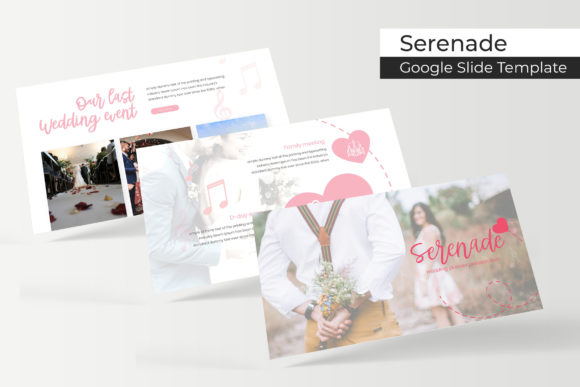
Serenade Google Slide Template: Elevate Your Presentations
Imagine your next presentation not just conveying information, but telling a story with elegance and clarity. The Serenade Google Slide Template is designed to do exactly that, offering a sophisticated framework for professionals, educators, and creatives who value polished visual communication. This comprehensive toolkit goes beyond basic slides, providing a meticulously crafted design system to make your ideas stand out.
At its core, the Serenade template is built for flexibility and impact. It features over 150 total slides across five premade color themes, giving you 30 unique slides for each color variation. This structure allows you to maintain a consistent brand identity throughout your presentation while easily adapting the mood to suit different audiences or contexts. Whether you're presenting a corporate report, a creative portfolio, or an educational lecture, the right color scheme is at your fingertips.
Practical Features for a Seamless Workflow
What truly sets this resource apart are the thoughtful details integrated into its design. The handcrafted infographics transform complex data into engaging visual narratives, making statistics and processes easier to understand and remember. Dedicated section break slides provide a clean, professional way to transition between topics, keeping your audience oriented and focused.
For those who need to showcase work, the included gallery and portfolio slides are invaluable. They offer a clean, grid-based layout perfect for photographers, designers, artists, or agencies. The pixel-perfect illustrations and graphics are fully resizable and editable, ensuring they integrate perfectly with your content without losing quality. The drag-and-drop picture placeholder system, based on master slides, simplifies the process of adding your own images, saving you considerable time and effort.
Maximizing the Template's Potential
To get the most out of a premium asset like this, consider these practical tips:
- Plan Your Content First: Before diving into the slides, outline your key messages. This helps you select the most appropriate layouts for your narrative flow.
- Customize with Purpose: Use the five color variations to align with your brand guidelines or the desired emotional tone. A cohesive color palette strengthens your brand identity.
- Leverage the Infographics: Don't just present numbers. Use the handcrafted infographics to illustrate trends, comparisons, and workflows, making your data more accessible.
- Ensure Readability: While the design is stunning, always prioritize clear communication. Test your text on the final slides to ensure it's legible for all viewers.
The package includes five PPTX files for both standard and widescreen formats, along with a helpful readme file. It specifies the free fonts used in the design, with download links included, so you can replicate the exact aesthetic seen in the previews. Note that while the preview images showcase the template's potential, the photographs themselves are not included and are for illustration only.
Choosing the right design assets is about more than just aesthetics; it's about efficiency and professionalism. A well-structured template like Serenade provides a reliable foundation, allowing you to focus on your message rather than wrestling with formatting. It’s a versatile tool that can elevate everything from client pitches and startup decks to internal training and conference talks, ensuring your visual presentation is as compelling as your ideas.