Nikitu Keynote Template
Every great idea deserves a presentation that captures its essence from the very first slide. For professionals and creatives seeking a blend of modern aesthetics and robust functionality, the Nikitu Keynote Template offers a compelling solution. This comprehensive design asset goes beyond a simple font, providing a full suite of tools to build visually stunning and cohesive presentations that command attention.
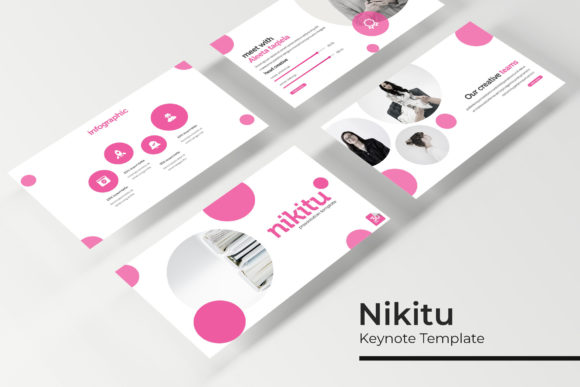
At its core, the Nikitu Keynote Template is built on a foundation of modern typography and meticulous design. It’s more than just a set of slides; it’s a complete system for brand identity in a presentation format. The template includes 150+ total slides, organized into five premade color themes. Each theme contains 30 uniquely crafted slides, ensuring you have the right layout for every part of your narrative, from introductions to detailed data breakdowns.
Designed for Flexibility and Professional Polish
What sets this template apart is its focus on practical, high-quality design assets. You’ll find handcrafted infographics that transform complex data into clear, engaging visuals. Dedicated section break slides help structure your story, while gallery and portfolio slides provide elegant frameworks for showcasing work. Every graphic element is resizable and editable, and the intuitive picture placeholders allow for simple drag-and-drop functionality. Built on master slides, achieving pixel-perfect consistency across your entire deck is effortless.
The versatility of this template makes it suitable for a wide array of projects. Consider using it for:
- Client Pitches and Proposals: Create a professional and persuasive impression that reflects your attention to detail.
- Portfolio Reviews: Showcase design, photography, or architecture work with gallery slides that let your images speak.
- Product Launches and Marketing Plans: Use the infographics and clean layouts to present data, timelines, and strategies clearly.
- Educational and Workshop Materials: Structure content logically with section breaks and maintain visual interest throughout.
Practical Tips for Maximizing Your Template
To get the most out of the Nikitu Keynote Template, start by selecting the color theme that best aligns with your project's mood or your existing brand palette. The five included variations offer a great starting point for customization. Because the graphics are fully editable, you can adjust colors, sizes, and shapes to match your specific brand identity or logo design scheme. Always test your final presentation on the device you'll be using to ensure all fonts and layouts display correctly.
Remember, the included PPTX files work seamlessly in PowerPoint, and the package comes with a clear readme file and links to download the free fonts used. This attention to detail ensures you can recreate the preview’s look without hassle. While the preview photographs are for illustration only, the placeholder system makes inserting your own visuals straightforward, helping you maintain a professional and polished aesthetic from start to finish.
Choosing a well-designed presentation template like Nikitu is an investment in clarity and professionalism. It eliminates the guesswork of layout and typography, allowing you to focus on your message. Whether you're building a brand identity, pitching a new idea, or teaching a complex subject, having a reliable and beautiful design system at your fingertips can make all the difference in how your work is perceived and remembered.