Live Streaming Workshop Social Media: Design Template Guide
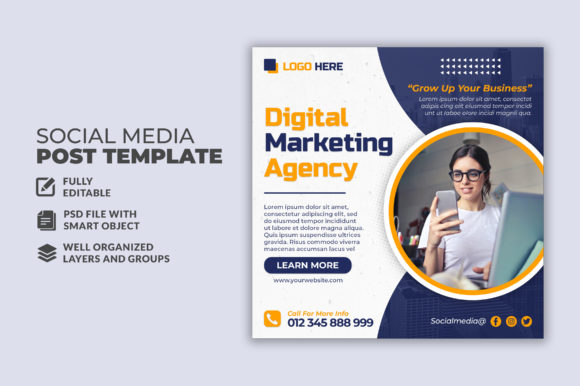
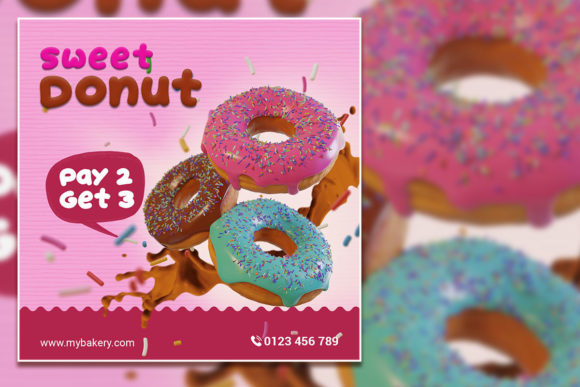
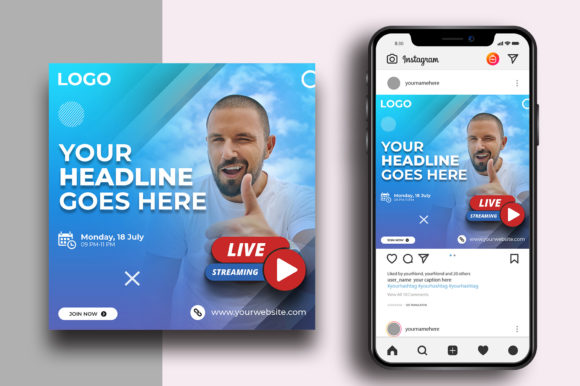
Ready to make your next live streaming event impossible to scroll past? A polished social media template is your secret weapon, and the Live Streaming Workshop Social Media template offers exactly that—a clean, eye-catching foundation designed for creators who value professional results without a steep learning curve.
This isn't just another static graphic. It's a versatile design asset built to help you promote workshops, classes, and live sessions with visual clarity and modern appeal. The template's strength lies in its balance of simplicity and impact, providing a structured layout that guides the viewer's eye to your key information—date, time, topic, and call to action.
Creative Applications for Modern Designers
While its name suggests a specific use, the template's clean lines and adaptable structure make it suitable for a range of projects. Consider using it as a starting point for:
- Social Media Announcements: Perfect for Instagram posts, Facebook event covers, or Twitter graphics to build anticipation for your stream.
- Brand Consistency: Use its style to create a cohesive series of graphics for a multi-part workshop or webinar series, strengthening your brand identity.
- Digital Product Promotion: Adapt the layout to showcase a new online course, ebook launch, or product demo happening live.
- Community Engagement: Design eye-catching visuals for Q&A sessions, live tutorials, or behind-the-scenes streams to boost audience interaction.
Practical Tips for Effective Use
To get the most out of this design asset, keep a few practical considerations in mind. First, ensure the final graphic is optimized for your platform. The 1080x1080 pixel dimension is ideal for most square social media feeds, but you may need to adjust for Stories or other formats.
Second, font pairing is key. The template uses a free font, which is a great starting point. However, if you're building a broader brand identity, consider how the template's typography pairs with your primary brand fonts. A clean sans-serif often works well for readability, while a complementary script or display font can add a creative accent for headings.
Finally, focus on clarity. The template's design is intentionally minimal to avoid visual clutter. When you edit it, prioritize legibility. Choose high-contrast text colors, ensure your imagery (which you'll add) doesn't overwhelm the text, and keep your message concise. This approach respects the viewer's time and makes your call to action unmistakable.
Why the Right Visual Framework Matters
Choosing a well-structured template like this one does more than just save time. It establishes a professional standard for your communications. Consistent, high-quality visuals build trust with your audience, signaling that the content behind the graphic is equally well-prepared. It enhances brand recognition and makes your promotions feel more cohesive across different platforms.
Ultimately, a thoughtfully designed template empowers you to focus on your content—your expertise, your message, and your community—while ensuring the presentation is polished and engaging from the first click. It’s a foundational tool for any creator looking to elevate their live streaming promotions with smart, efficient design.